
Every subscription in one place, what each one costs a month and a year, and the ones due in the next thirty days sitting at the top. It’s a Google Sheets™ file. You make a copy and it’s yours.
$19 one time
Tax added at checkout.
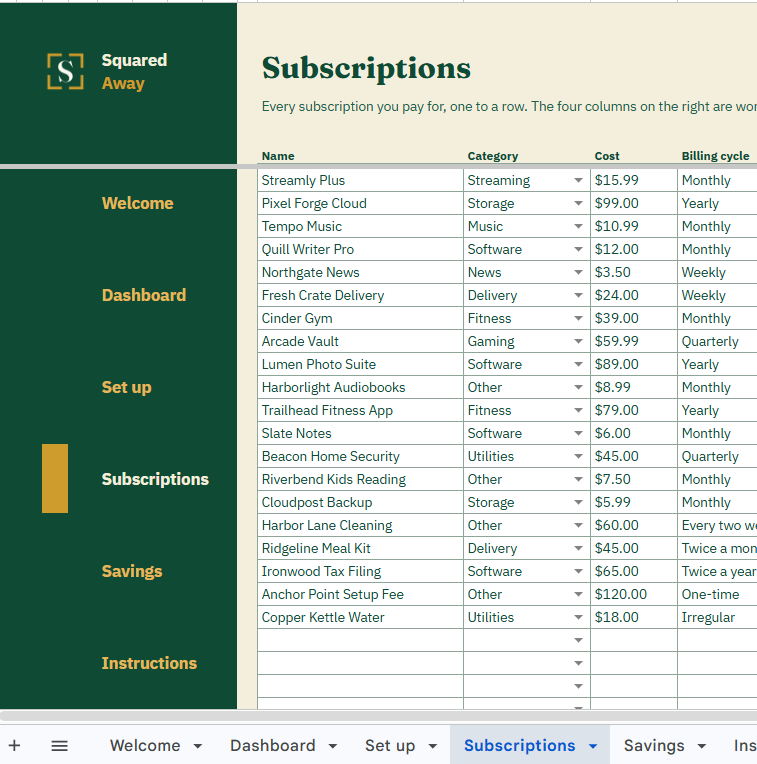
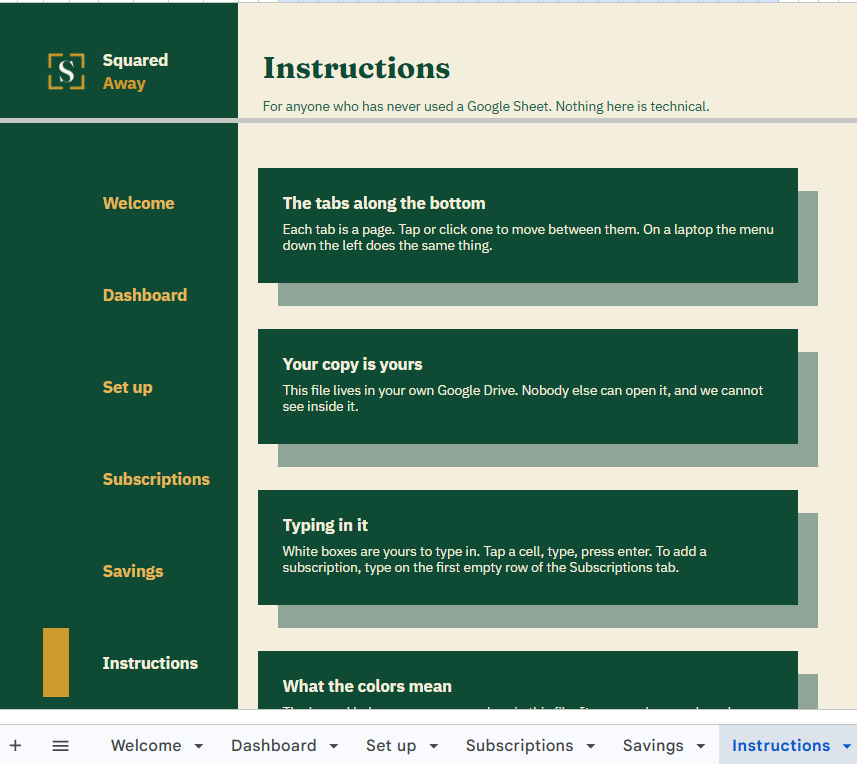
It is rarely the big one that gets you. It is the nine dollars a month for something you signed up for last spring and opened twice. The trial you meant to cancel on the Tuesday. The yearly one that lands in January, when you have forgotten there is a yearly one.
None of it is hidden. It is on your statement, spread across two cards, an old email address and an app store receipt, and it never sits in one place long enough to add up. So the total is a guess, and the next charge is a surprise you already agreed to.
You type what you pay for, once. Renewal Radar does the arithmetic and the counting.
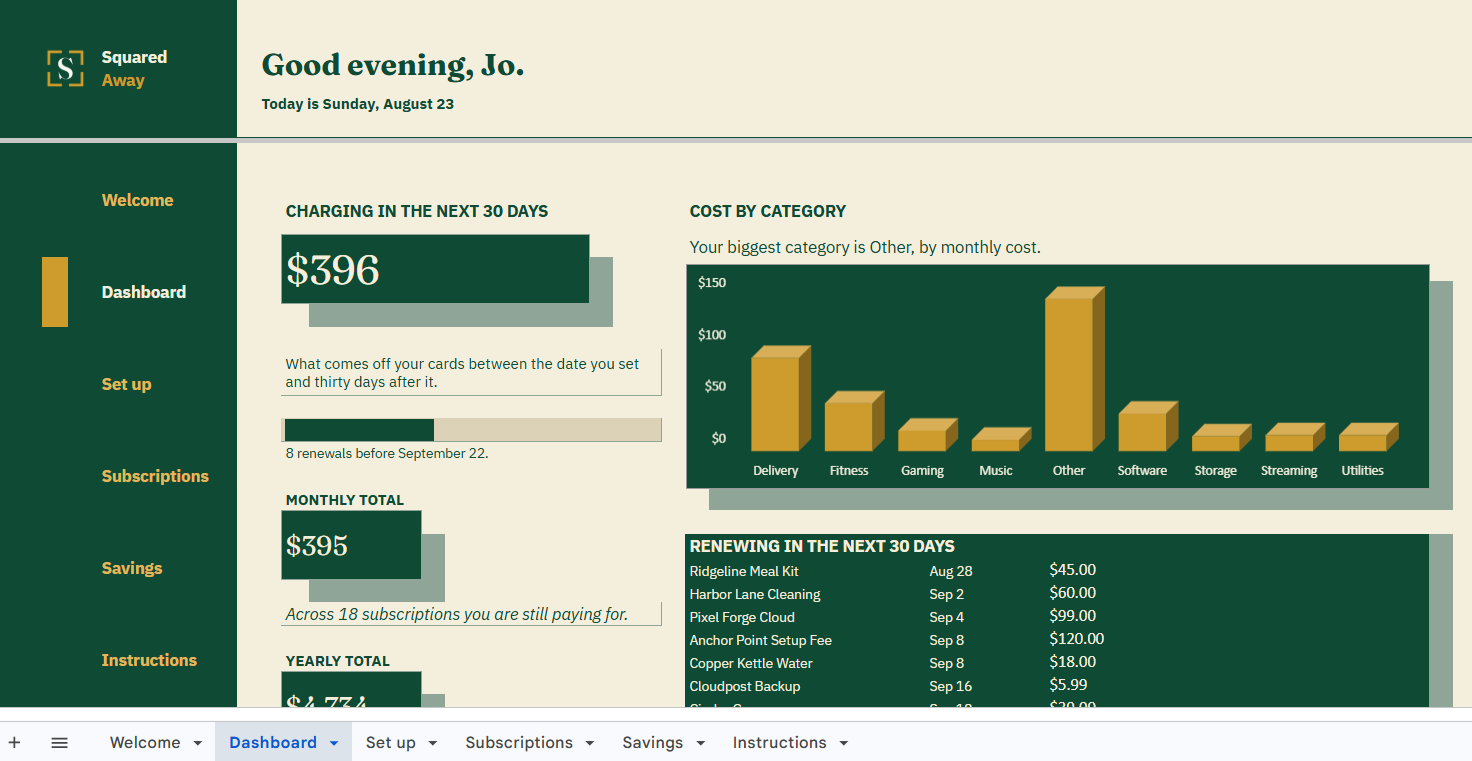
Add a subscription with its cost and its billing cycle, and the file works out what it costs you a month and what it costs you a year. Nine billing cycles, from weekly through to yearly, convert to the same number, so a $59.99 quarterly line and a $15.99 monthly line can finally be compared. The file reads today from your clock, so every countdown is right the moment you open it: renewal dates inside thirty days turn gold, and a free trial ending inside seven days turns red.
The dashboard opens on the one number you came for, which is what comes off your cards in the next thirty days, then the eight soonest renewals underneath it, soonest first.
What it does
It goes to the address you paid with.
It saves to your own Google Drive™ and stays private unless you share it.
It comes with sample entries already in it, so you can see how it works before you type in your own.
Do I need an app or an account?
No app, and no account with us. You need a Google account to keep the copy in your own Drive, which is the account most people already have on their phone.
Does it connect to my bank or my email?
No. Nothing is connected to anything. You type what you are paying for, which is also why nothing of yours ever passes through us.
Will it remind me?
It does not send anything. It shows you. Open the file and the next thirty days are at the top of the dashboard, with the soonest first.
Does it work on my phone?
Yes. The dashboard is built so the figure you came for, what it means, and the next charge are all on screen before you scroll. The rest of it, and the charts, read better on a laptop.
Does it know what today is?
Yes. It reads today from your clock, and every countdown in the file counts from there, so the dashboard is right the moment you open it. Set the time zone once, under File then Settings, and it stays right.
Can I add my own categories?
Yes. Category and payment method are typed on the Set up tab, twenty rows each, and they appear in the dropdowns as soon as you add them.
Where do card numbers go?
Nowhere. The payment method column takes the name of a card or an account, like Visa or checking, and nothing else. Never put a card number, a password or a Social Security number in a spreadsheet.
How much does it hold?
Fifty-three subscriptions, twenty rows on the savings list, and twenty entries in each list you can extend.
What if I break a formula?
Open the copy link from your receipt and make a fresh copy. Your old one stays where it is until you delete it.
No app to learn. No new account. No monthly anything.
$19 one time
Tax added at checkout.
If it isn’t right, email us within 14 days for a refund. The refund policy
Some cookies keep the site working. The rest just count visits, and only if you say yes. If you say no, the site works exactly the same.
Essential cookies stay on, because the site can't work without them. Everything else is your call.
Essential cookies enable basic functions and are necessary for the proper function of the website.