Google Sheets™ tools

You already have Google Sheets.
We build what's missing.

For the parts of life nobody makes an app for. Each one opens in Google Sheets, with the account you already have.

Pay once

One payment. Nothing renews, and there is no upgrade later.

Keep it

The copy saves to your Google Drive™ and stays there.

14 days

Change your mind in the first two weeks and we refund it.

What gets away from you

It's never the big things.

It’s the renewal that went through last week. The bill you meant to move to the 15th. The policy number that’s in an email from two years ago. None of it is hard. It just never stops arriving, and you’re the one holding all of it.

You pay for things you forgot

A trial that converted. A service you replaced. It leaves the account every month and nobody looks.

A date passes and nothing tells you

The registration, the inspection, the policy that lapsed in March. Nothing pings. You find out when it matters.

It lives in eleven places

Notes, screenshots, a drawer, an email you starred in March. The answer is in there somewhere.

You had it written down once

A receipt, a photo, a folder from two years ago. Whatever you set up last time is not where you left it.

What we build for

From the family budget to the dog's vaccine dates.

If it comes with a due date or a running total, we build for it.

Money
What's safe to spend today, and the month the last debt is gone.
Household
Where the warranty is, and who to call when the water heater goes.
Subscriptions
Every charge that renews, with the date sitting next to it.
Vehicles
When the registration is due, and what the last repair cost.
Pets
The vaccine dates, and the vet's number when you need it fast.
Health
Who you see, and what the last visit actually cost.
Home projects
What the renovation was supposed to cost, and what it did.
Travel
What the trip will cost before you book, and what it cost after.
School
The fees due this term, and the dates the forms are due.
Work
The hours you worked, and the invoices still unpaid.
Events
One day planned properly, down to the order things happen in.
Moving
Who needs the new address, and who still has the old one.
The catalog

Pick a place to start.

Each one handles a different corner of the pile.

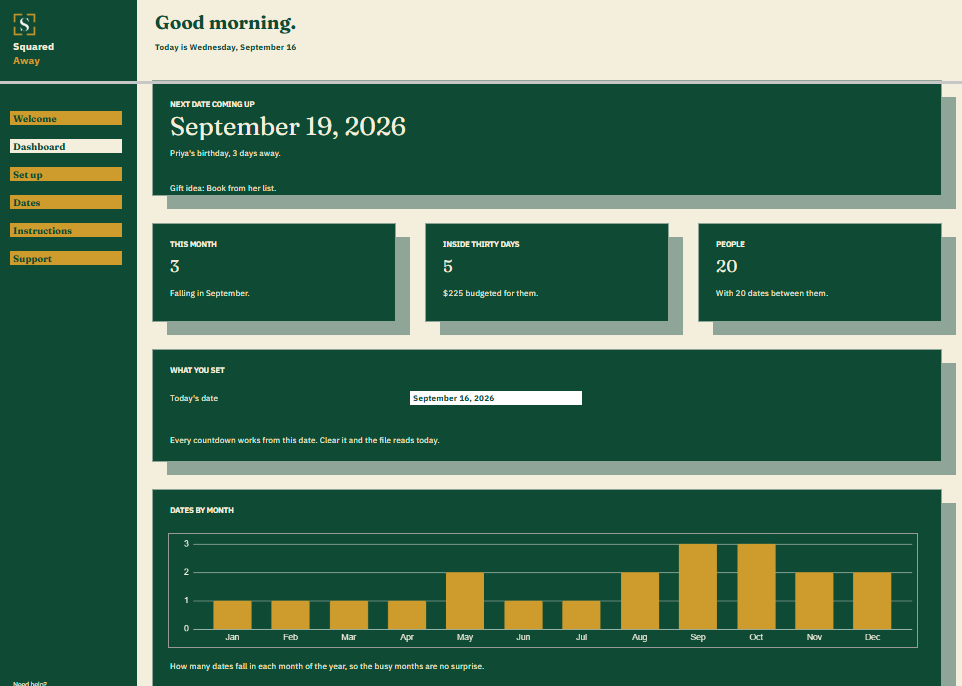
Birthday and Anniversary Calendar dashboard in Google Sheets showing the next date coming up, 3 dates this month, 5 inside thirty days, 20 people, and a chart of dates by month.
Home and family, Events

Birthday and Anniversary Calendar

See whose day is coming, and what to get them.
$19

one time

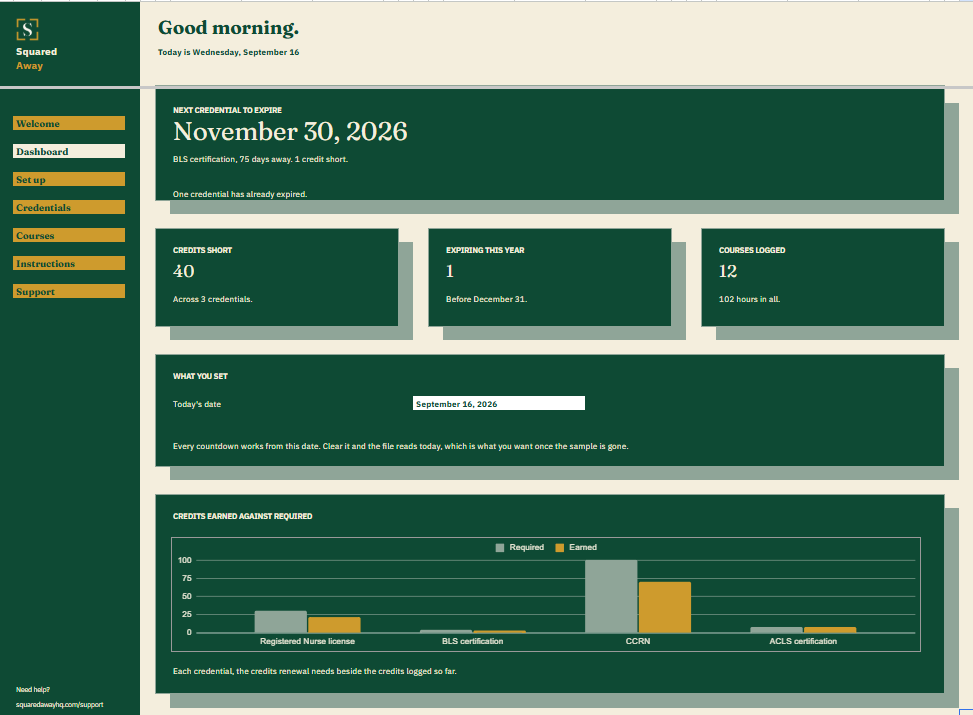
Certification and License Renewals dashboard in Google Sheets showing the next credential to expire, 40 credits short, 1 expiring this year, 12 courses logged, and a chart of credits earned against required.
Home and family, Work

Certification and License Renewals

Know how many credits you are short while there is still time.
$19

one time

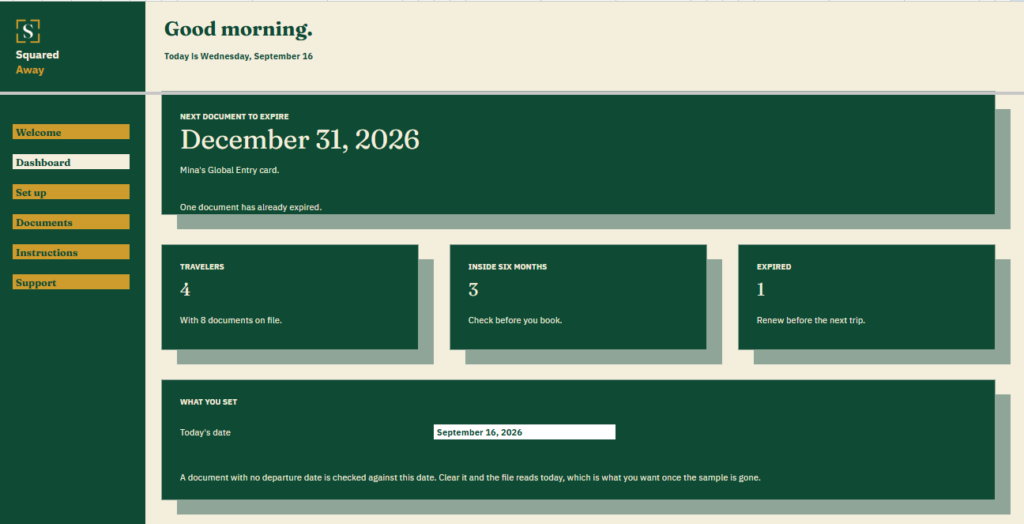
Travel Document Tracker dashboard in Google Sheets showing the next document to expire, 4 travelers, 3 documents inside six months and 1 expired.
Home and family, Travel

Travel Document Tracker

Check the passports before you book, not at the airport.
$19

one time

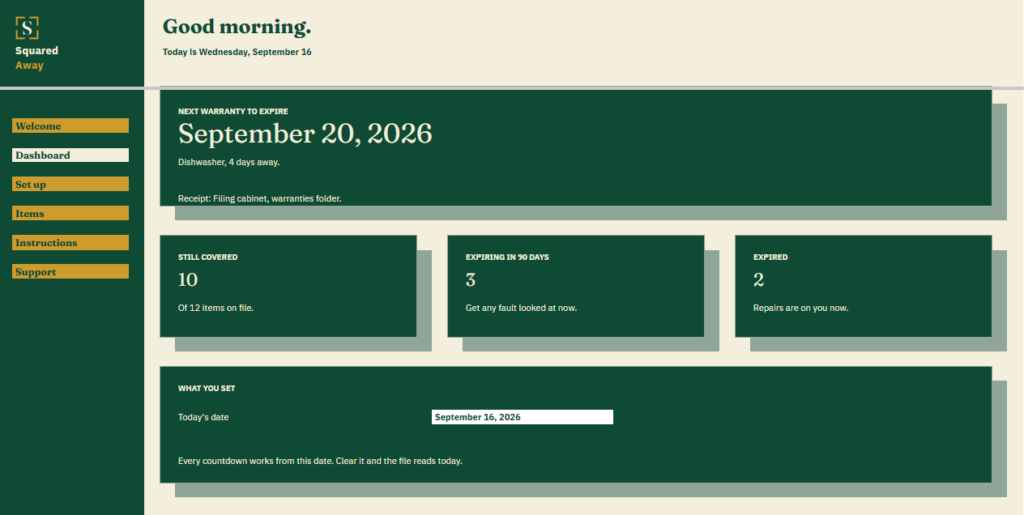
Warranty and Coverage Tracker dashboard in Google Sheets showing the next warranty to expire, 10 items still covered, 3 expiring in ninety days and 2 expired.
Home and family, Subscriptions

Warranty and Coverage Tracker

Find out it is still covered before you pay to fix it.
$19

one time

After you buy

What happens after you buy.

1

We email you a link.

It goes to the address you provided.

2

You make a copy.

It saves to your own Google Drive™ and stays private unless you share it.

3

You start using it.

It comes with sample entries already in it, so you can see how it works before you type in your own.

However you're doing it now.

You're in the right place.

Still keeping it in your head?

Write it down once. After that it’s the file’s job to remember, not yours.

Tried an app and abandoned it?

Nothing new to sign up for and nothing to learn. It opens in Google Sheets, where you already are.

Questions

Before you buy.

A spreadsheet in Google Sheets™, already built. We send a link, you make your own copy, and it lives in your Google account from then on. You pay once.

Check your spam folder first. If it isn’t there, write to us with the email address you used at checkout and we’ll send it again.

Make sure you’re signed in to a Google account, then open the link again. If it still won’t copy, tell us and we’ll send you a fresh one.

Yes. On a phone it opens in the Google Sheets app.

Yes. Share your copy with the people in your household who use it with you.

Email us within 14 days of buying and we’ll send your money back. You don’t owe us a reason. Your copy stays with you.

Guides

Start with a guide instead.

How to catch free trials before they charge you

Subscriptions

How to stop surprise subscription charges

Subscriptions

The budget number that actually matters

Money
S

Start with the one that's bugging you.

No app to learn. No new account. No monthly anything.

You just get squared away.