Life Binder · household records for Google Sheets™

One file that tells someone else how your house runs.

Who to call. What the house pays for. Where the papers are. What comes due next. It tells you how ready it is as you fill it in.

$12 one time

Tax added at checkout.

The problem

It is all in your head, and only in your head.

Which insurance agent handles the house. Where the birth certificates are. Whether the water bill is still in your mother’s name. When the car inspection is due. You know all of it, and you are the only one who does.

That is fine right up until the week it is not. Someone else needs to make one phone call and cannot work out who to ring. Or you find the passport expired two months ago, on the day you needed it.

Most people mean to write this down. It never gets done because there is no obvious place to start and no way to tell when you are finished.

What's inside

Four lists, and a page that keeps score.

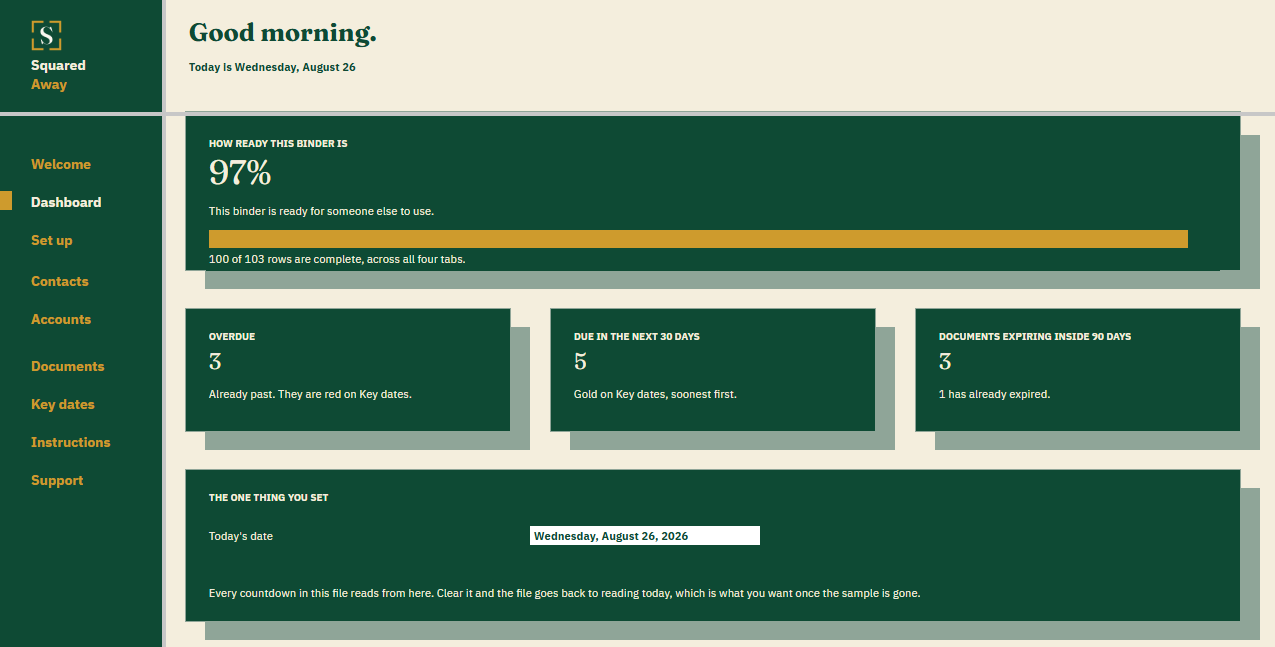
You fill in four tabs. The Dashboard reads them and tells you how far along you are, what is overdue, and what is coming.

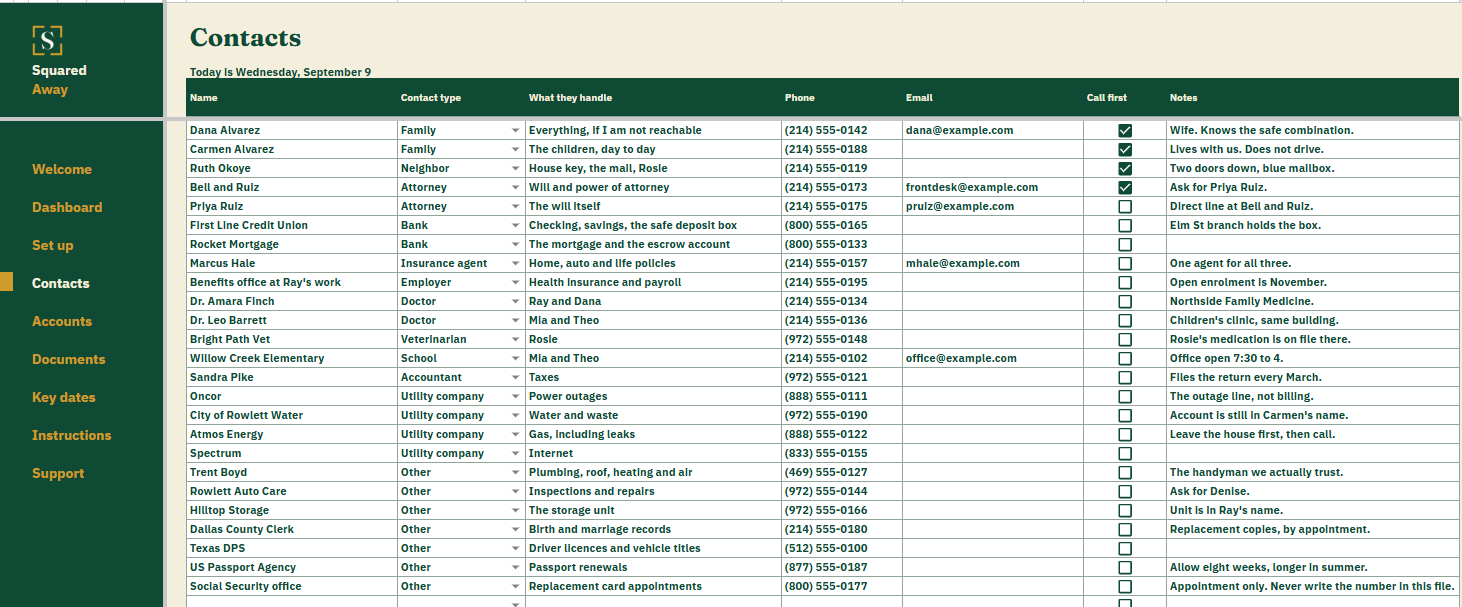
Type a contact once and every other tab can point at them. Choose a name in any Who to call box and the phone number appears beside it. Nothing is typed twice.

  • Contacts. Every person and company worth ringing, what they handle, and a tick for the few someone should call first.
  • Accounts. What the house runs on, in whose name, how it is paid, and where the paperwork is. A column works out what is missing from each row and goes quiet once it is whole.
  • Documents. Where the original is, who else has a copy, who to call to replace it, and how many days until it expires. Leave the date blank for anything that never runs out.
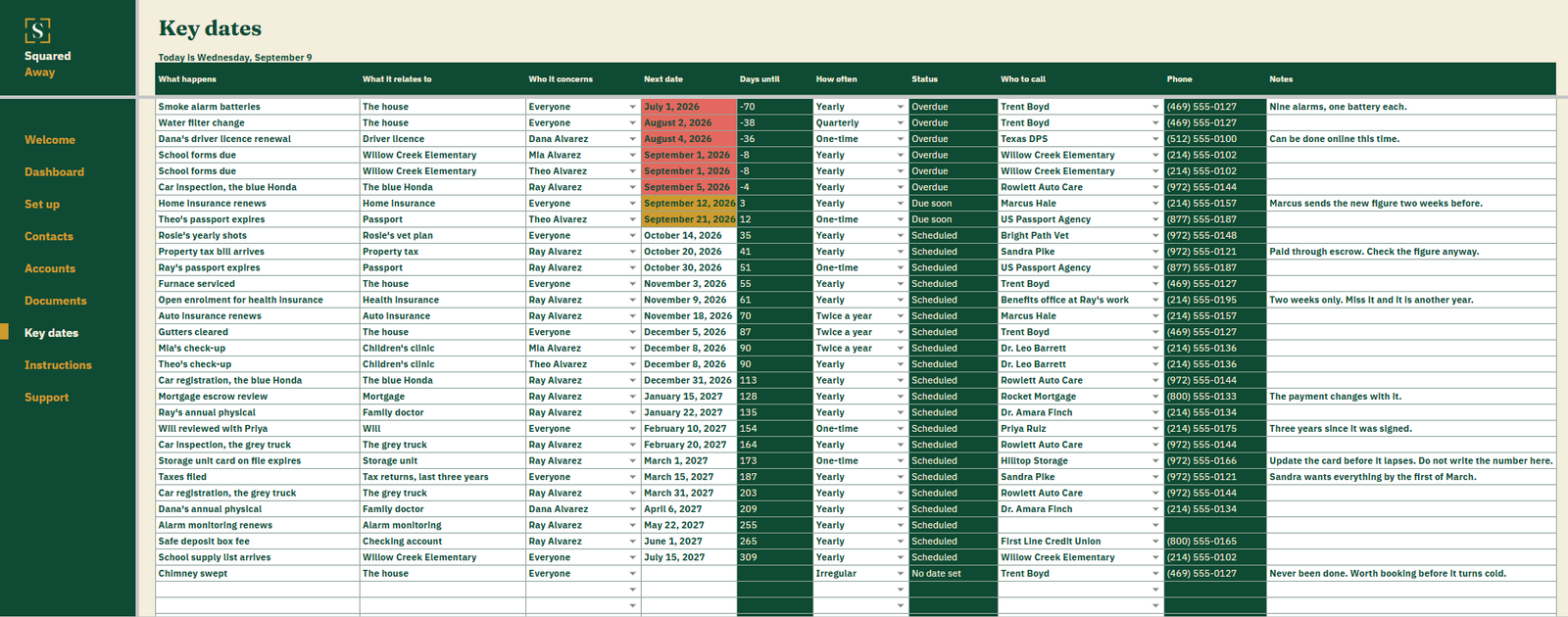
  • Key dates. What comes due, when, how often and who to call. Overdue turns red, the next thirty days turn gold.
  • The Dashboard. A readiness figure, counts of what is overdue and expiring, the soonest eight things due, and a chart of the next twelve months.
  • Set up. Your own lists behind every dropdown. Add one and it appears everywhere it is used.
What it looks like

Three tabs you'll actually use.

After you buy

What happens after you buy.

1

We email you a link.

It goes to the address you paid with.

2

You make a copy.

It saves to your own Google Drive™ and stays private unless you share it.

3

You start using it.

It comes with sample entries already in it, so you can see how it works before you type in your own.

No surprises

The fine print, all of it.

  • You pay once, and the copy stays yours for good.
  • It opens in Google Sheets™ on a computer, or in the Sheets app on your phone.
  • You need a Google account. A free one works.
  • Changed your mind? Email us within 14 days for a refund. You don’t need a reason. The refund policy
Questions

Before you buy.

Does it hold account numbers or passwords?

No, and it should not. It records where a thing is and who to call about it. If the file ended up somewhere it should not, it would still be no use to anyone.

Do I have to fill it all in before it is useful?

No. The readiness figure counts what you have done and the rest waits. Most people do Contacts first, because every other tab reads from it.

Is there anything to install?

No. It is a Google Sheet. You get a link, it makes a copy in your own Drive, and it is yours. No app, no account, no monthly anything.

What happens to the sample data?

It ships with a made-up family in it so you can see how it works. Type over it, or clear the rows and start with your own.

Will it work on my phone?

The Google Sheets app opens it and you can read and edit everything. The menu down the left side is built for a computer; on a phone you move between tabs the usual way.

S

Get Life Binder

No app. No account. No monthly anything.

$12 one time

Tax added at checkout.

If it isn’t right, email us within 14 days for a refund. The refund policy

You just get squared away.