Contract and Renewal Register · Agreement and notice log for Google Sheets™
Give notice in time, or renew because you decided to.
Every agreement you are in, what it costs a year, when the term ends and the date you have to speak up by.
$39one time
Tax added at checkout.
The problem
The end date is not the date that matters. The notice is.
An agreement runs to the last day of October and wants sixty days’ notice. The date you actually have to act on is the first of September, and it is written nowhere except inside the agreement.
Miss it by a week and you have bought another year of something you were going to cancel.
What's inside
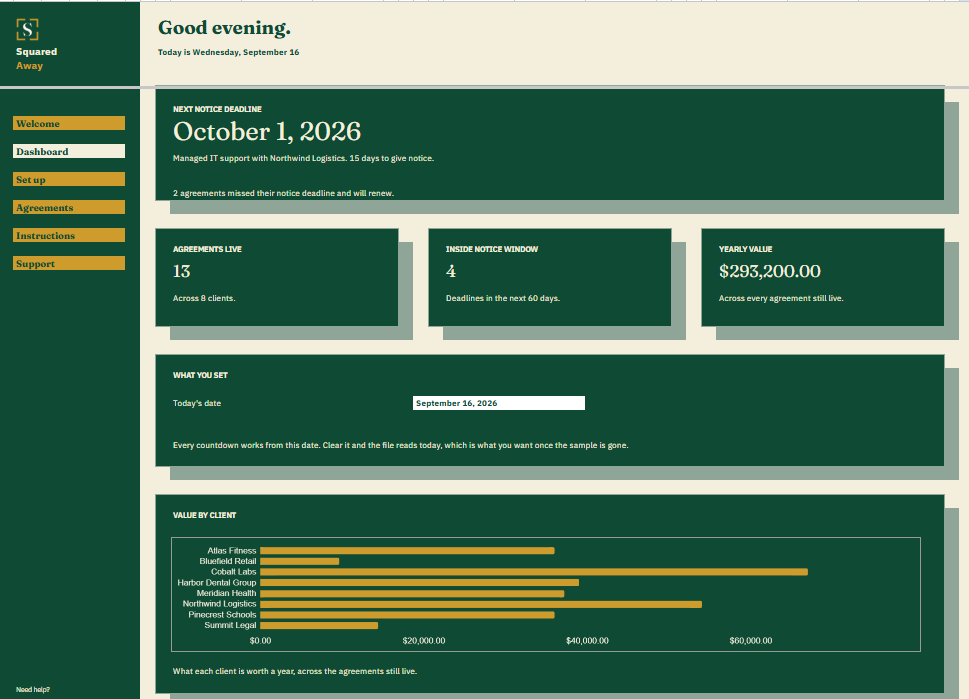
It counts down to the notice deadline, not the end date.
Type each agreement once: the client, what it is worth a year, when the term runs, how many days of notice it takes and who owns it here. The file works out the notice deadline, counts the days to it, totals what the whole book is worth and marks anything inside the window.
It holds no contract documents. Terms, dates and the number of days you have, which is what a diary entry needs.
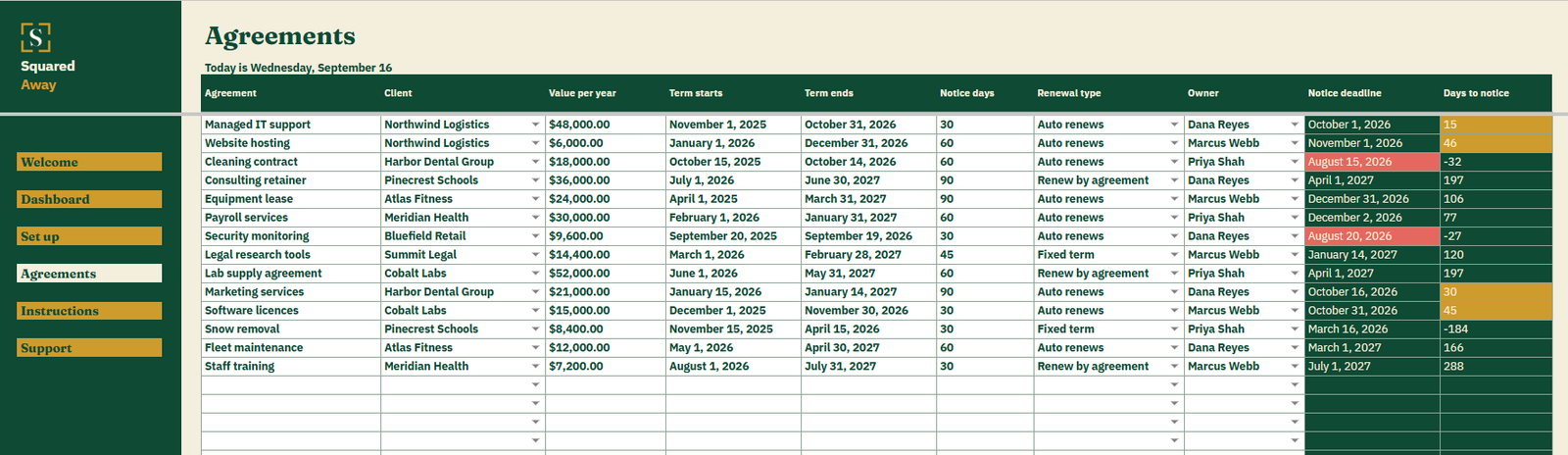
Agreements. One row each, with the client, the yearly value, the term dates, the notice period, the renewal type and the owner.
The notice deadline. Worked out from the end date and the notice period, and counted down to from today.
The Dashboard. The next notice deadline and whose it is, how many agreements are live across how many clients, how many sit inside the window, and what the book is worth a year.
The chart. What each client is worth a year across the agreements still live.
Red and gold. A notice deadline already passed turns red, and the agreement renews. One inside sixty days turns gold.
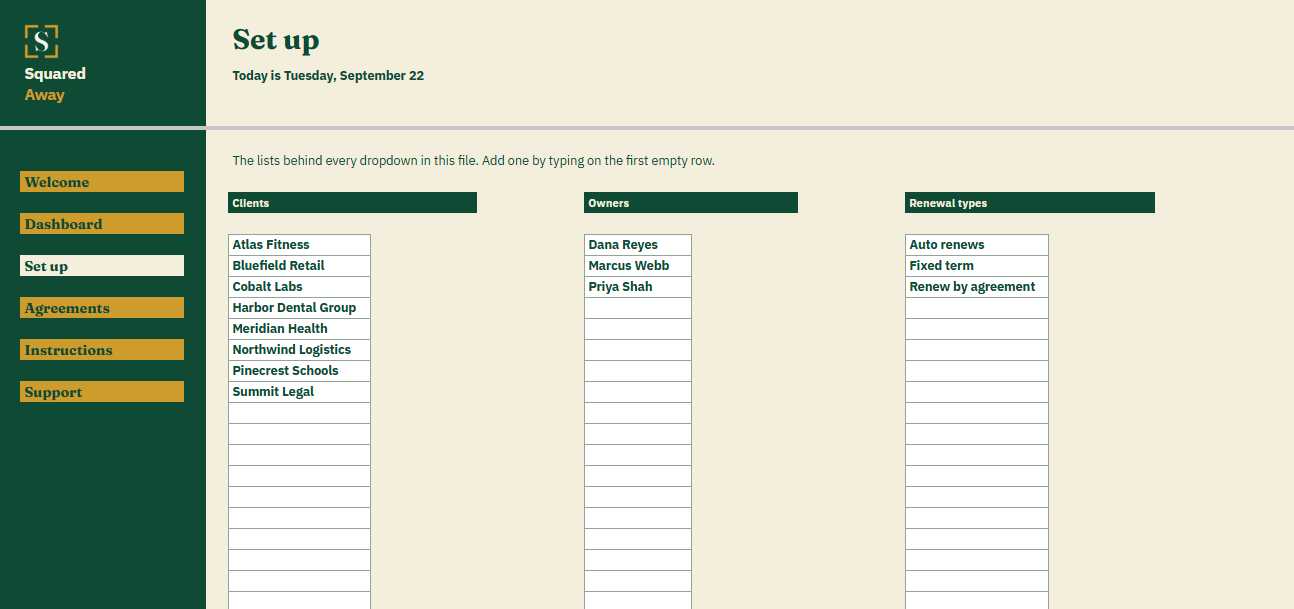
Set up. Your own clients, owners and renewal types, behind the dropdowns on Agreements.
Sample agreements. Fourteen made-up ones across eight clients, so the countdowns make sense before you type your own.
What it looks like
Three tabs you'll actually use.
After you buy
What happens after you buy.
1
We email you a link.
It goes to the address you paid with.
2
You make a copy.
It saves to your own Google Drive™ and stays private unless you share it.
3
You start using it.
It comes with sample entries already in it, so you can see how it works before you type in your own.
No surprises
The fine print, all of it.
You pay once, and the copy stays yours for good.
It opens in Google Sheets™ on a computer, or in the Sheets app on your phone.
You need a Google account. A free one works.
Changed your mind? Email us within 14 days for a refund. You don’t need a reason. The refund policy
Questions
Before you buy.
Does it hold the contracts?
No. The terms and the dates. The documents stay wherever you keep them, and this tells you which one to go and read.
What if an agreement needs no notice?
Put the notice days at zero. The deadline is then the end date itself, and it counts down the same way.
What about one that simply ends?
Mark it fixed term. Nothing renews, and the countdown still tells you the month the work stops.
S
Renew because you chose to, not because the date went past.
No app to learn. No new account. No monthly anything.
$39one time
Tax added at checkout.
If it isn’t right, email us within 14 days for a refund. The refund policy
You just get squared away.
Cookie Consent
Some cookies keep the site working. The rest just count visits, and only if you say yes. If you say no, the site works exactly the same.
Cookies
Essential cookies stay on, because the site can't work without them. Everything else is your call.
Essential cookies enable basic functions and are necessary for the proper function of the website.
Name
Description
Duration
Cookie Preferences
This cookie is used to store the user's cookie consent preferences.