Policy Review Schedule · Board policy tracker for Google Sheets™

See which of your board’s policies are overdue for review.

Every policy your board has adopted, who owns it and when it was last reviewed. It works out the next review date, counts down to it and flags anything overdue.

$39 one time

Or open a live preview first

Opens in a new tab. Read-only, nothing to sign up for.

Tax added at checkout.

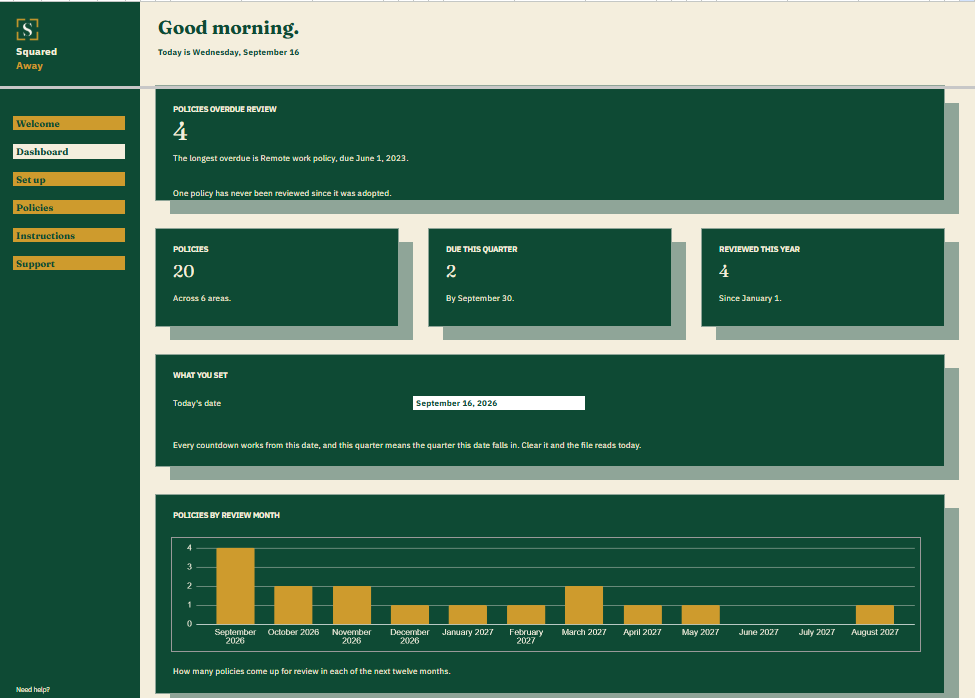
Policy Review Schedule dashboard in Google Sheets showing 4 policies overdue review, 20 policies on file, 2 due this quarter, 4 reviewed this year, and a chart of reviews by month.
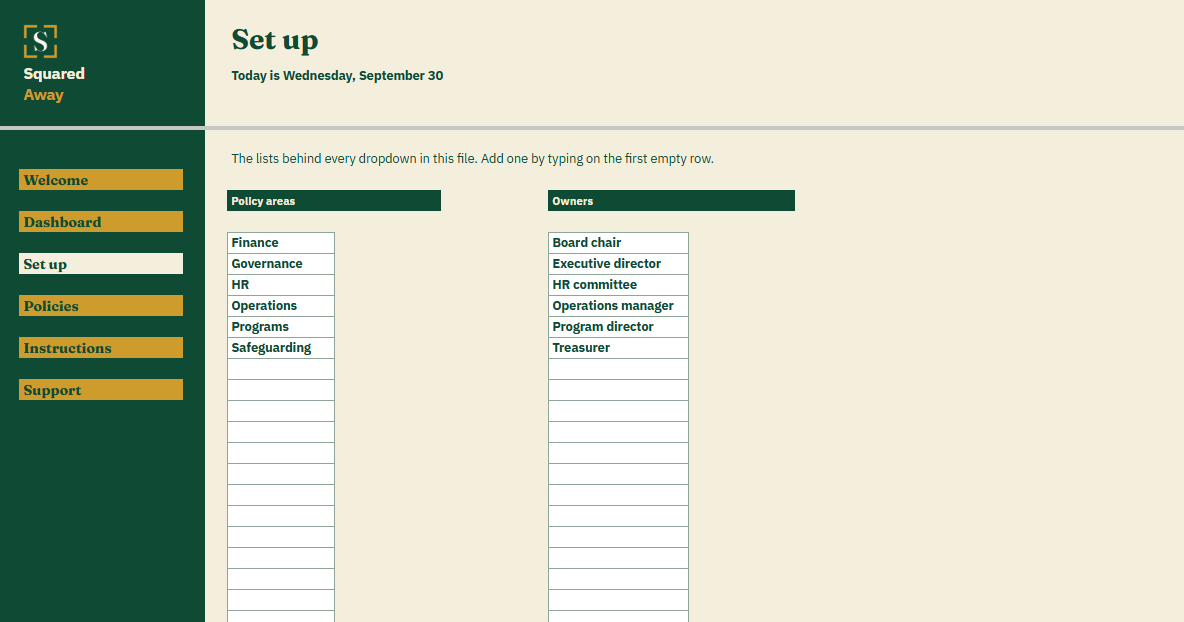
Policy Review Schedule's Set up tab with the policy areas and owners the board fills in, which become the dropdowns on the Policies tab.
The problem

Nobody remembers when the whistleblower policy was last looked at.

The conflict of interest policy gets signed every year. The document retention policy was adopted in 2019 and hasn’t been opened since. The remote work policy went in during a hurry and never came back to the board at all.

Each one says it’s reviewed every year or two. Knowing which ones actually were falls to whoever keeps the minutes.

What's inside

Every policy, its owner and its next review, on one tab.

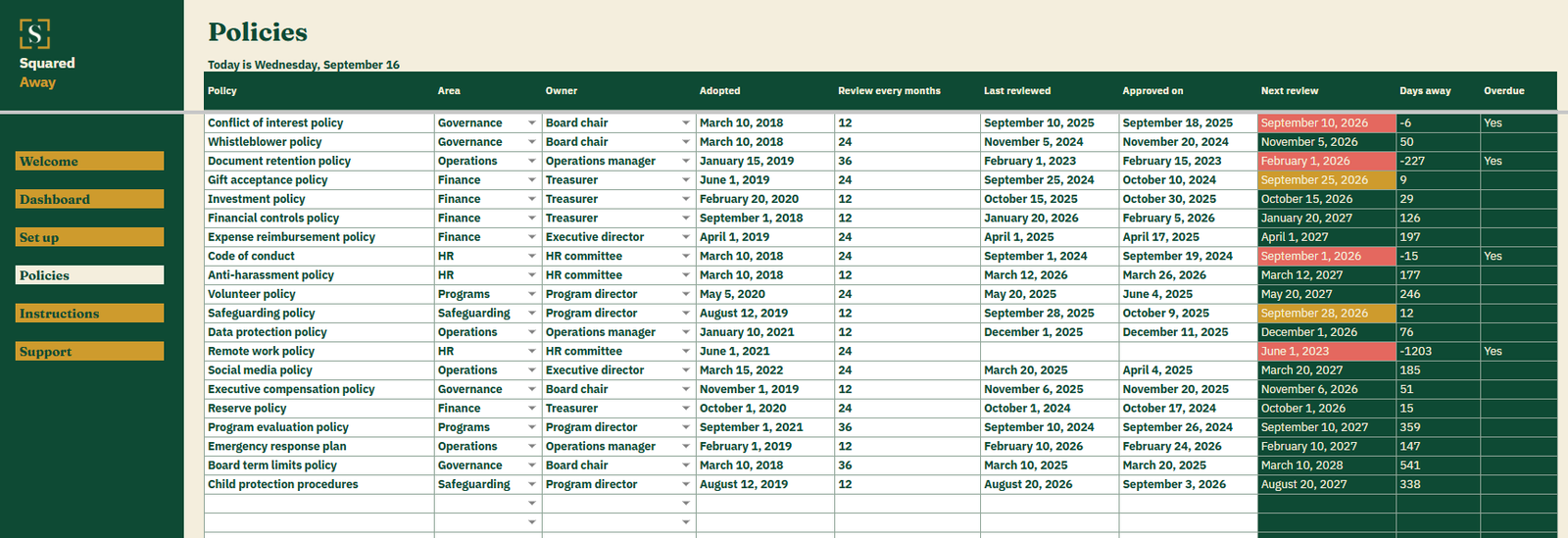
List each policy once on the Policies tab: its area, who owns it, when it was adopted and how many months apart it’s reviewed. When the board approves a review, change Last reviewed and Approved on. The file works out the next review date, counts the days and marks anything overdue.

It holds no policy text. The policies stay wherever your board keeps them. This file keeps the dates and the owners.

  • Policies. One row per policy, with its area, owner, adoption date and review interval.
  • Next review. Counted from the last review, or from adoption if it has never been reviewed.
  • Approved on. The date the board signed off each review, kept beside the review itself.
  • Overdue. A plain Yes on any policy past its review date.
  • The Dashboard. How many are overdue and which has waited longest, policies on file, what’s due this quarter and how many were reviewed this year.
  • Policies by review month. A chart of how many come up in each of the next twelve months, so a heavy board meeting shows early.
  • Red and gold. An overdue review date turns red. One due before the quarter ends turns gold.
  • Set up. Your own policy areas and owners, behind the dropdowns on Policies.
  • A date you choose. Type one on the Dashboard and every countdown works from it. Clear it and the file reads today.
  • Sample policies. Twenty made-up nonprofit policies across six areas, so the figures make sense before you type your own.

Policy Review Schedule's Policies tab listing 20 nonprofit policies with the area, owner, adoption date, review interval and last review, and the next review worked out beside each.
What it looks like

Three tabs you'll actually use.

Policy Review Schedule dashboard in Google Sheets showing 4 policies overdue review, 20 policies on file, 2 due this quarter, 4 reviewed this year, and a chart of reviews by month.
Policy Review Schedule's Policies tab listing 20 nonprofit policies with the area, owner, adoption date, review interval and last review, and the next review worked out beside each.
Policy Review Schedule's Set up tab with the policy areas and owners the board fills in, which become the dropdowns on the Policies tab.
Open the real thing

Opens in a new tab. Read-only, nothing to sign up for.

After you buy

What happens after you buy.

1

We email you a link.

It goes to the address you paid with.

2

You make a copy.

It saves to your own Google Drive™ and stays private unless you share it.

3

You start using it.

It comes with sample entries already in it, so you can see how it works before you type in your own.

No surprises

The fine print, all of it.

  • You pay once, and the copy stays yours for good.
  • It opens in Google Sheets™ on a computer, or in the Sheets app on your phone.
  • You need a Google account. A free one works.
  • Changed your mind? Email us within 14 days for a refund. You don’t need a reason. The refund policy
Questions

Before you buy.

Does it store the policies themselves?

No. It holds the dates and who owns each one. The documents stay wherever your board keeps them.

What if a policy has never been reviewed?

The next review counts from the date it was adopted, and the Dashboard tells you how many policies are in that state.

What counts as due this quarter?

Any policy whose next review falls before the current calendar quarter ends. For many boards, that’s the next meeting.

S

Bring the overdue ones to the next board meeting.

No app to learn. No new account. No monthly anything.

$39 one time

Tax added at checkout.

If it isn’t right, email us within 14 days for a refund. The refund policy

You just get squared away.