PPE Inspection Log · Gear inspection record for Google Sheets™

See which piece of your gear failed and is still in service.

Every inspection of your coat, hood, gloves and face piece, with what you found and whether it passed. It counts down to the next one and flags anything failed and not replaced.

$39 one time

Or open a live preview first

Opens in a new tab. Read-only, nothing to sign up for.

Tax added at checkout.

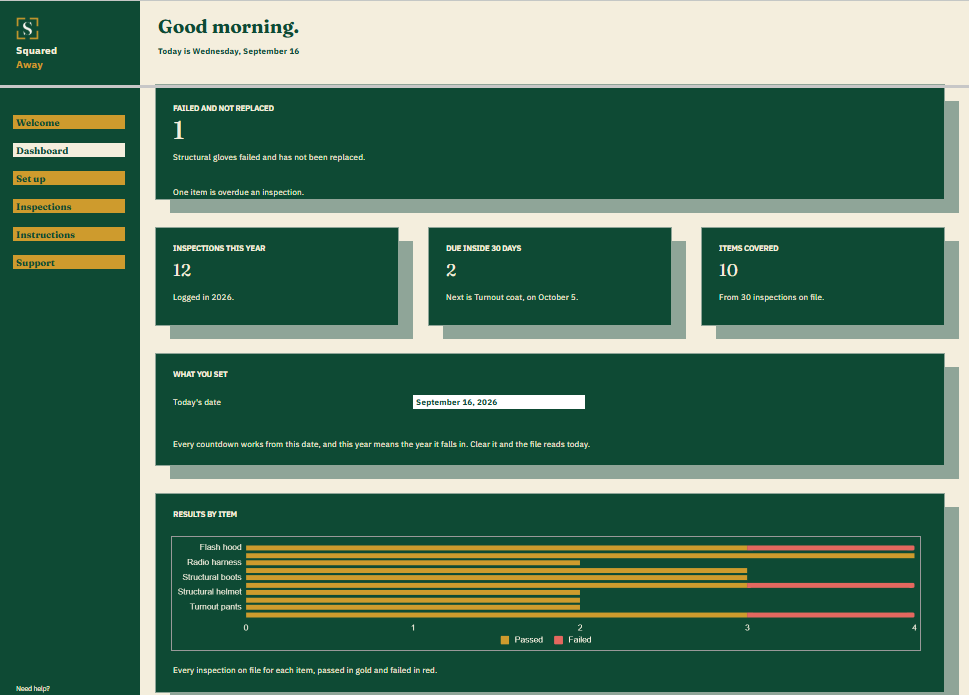
PPE Inspection Log dashboard in Google Sheets showing 1 item failed and not replaced, 12 inspections this year, 2 due inside thirty days, 10 items covered, and a chart of passed and failed results by item.
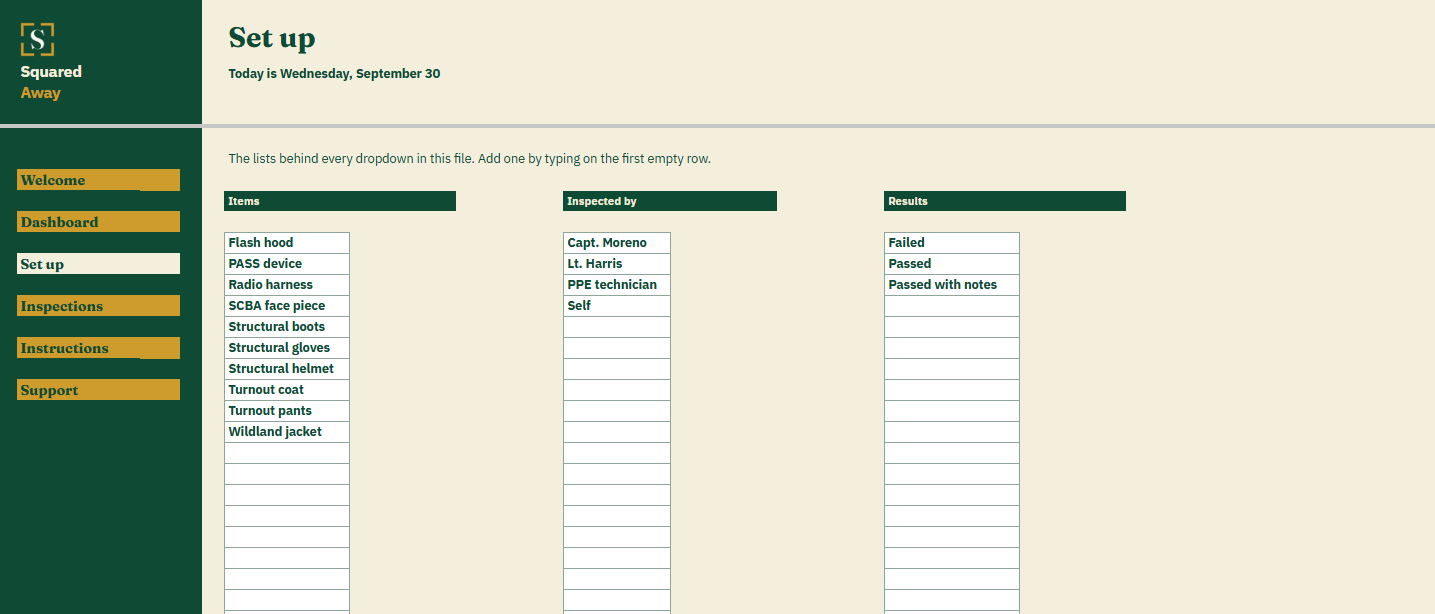
PPE Inspection Log's Set up tab with the gear items, inspectors and results that become the dropdowns on the Inspections tab.
The problem

Nobody wrote down when the gloves were last looked at.

Coat, pants, boots, helmet, hood, gloves, the face piece, the radio harness. Each one gets checked on its own schedule, and the findings end up on a form that went to someone else, or nowhere at all.

So the glove seam that split last month is still in the bag, and the hood that’s due was due in August.

What's inside

Log what you found. The file tells you what’s next.

Each inspection is one row on the Inspections tab: the date, the item, who checked it, what they found and the result. Say how many months that item goes between inspections. The file finds the newest inspection for each item, works out when the next one is due and counts the days. Anything that failed shows a red Yes until you log its replacement.

It holds no standard and checks nothing against one. The intervals are the ones you set.

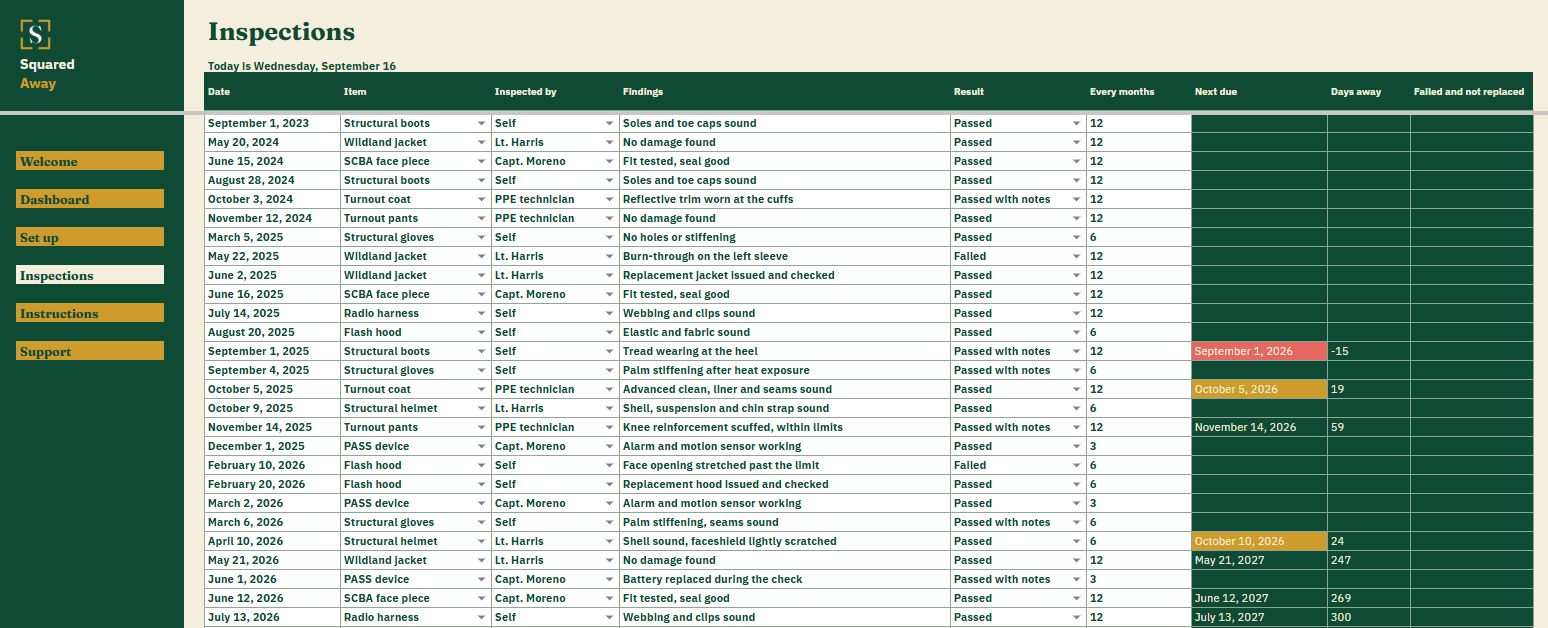
  • Inspections. One row per inspection, with the date, the item, who checked it, the findings and the result.
  • Next due. Worked out from each item’s newest inspection and the months you set between them.
  • Days away. A countdown on each item’s newest inspection, which turns negative once it’s overdue.
  • Failed and not replaced. A red Yes on failed gear until the replacement’s first inspection is logged.
  • The Dashboard. What failed and hasn’t been replaced, inspections this year, what’s due inside thirty days and which item is next.
  • Results by item. A chart of every inspection on file for each item, passed in gold and failed in red.
  • Red and gold. An overdue inspection turns red. One due inside thirty days turns gold.
  • Set up. Your own gear, who inspects it and the results you use, behind the dropdowns on Inspections.
  • A date you choose. Type one on the Dashboard and every countdown works from it. Clear it and the file reads today.
  • Sample inspections. Thirty made-up ones across ten items, so the figures make sense before you type your own.

PPE Inspection Log's Inspections tab listing 30 dated inspections of turnout gear, helmets, gloves and breathing apparatus with findings and results, and the next due date worked out for each item.
What it looks like

Three tabs you'll actually use.

PPE Inspection Log dashboard in Google Sheets showing 1 item failed and not replaced, 12 inspections this year, 2 due inside thirty days, 10 items covered, and a chart of passed and failed results by item.
PPE Inspection Log's Inspections tab listing 30 dated inspections of turnout gear, helmets, gloves and breathing apparatus with findings and results, and the next due date worked out for each item.
PPE Inspection Log's Set up tab with the gear items, inspectors and results that become the dropdowns on the Inspections tab.
Open the real thing

Opens in a new tab. Read-only, nothing to sign up for.

After you buy

What happens after you buy.

1

We email you a link.

It goes to the address you paid with.

2

You make a copy.

It saves to your own Google Drive™ and stays private unless you share it.

3

You start using it.

It comes with sample entries already in it, so you can see how it works before you type in your own.

No surprises

The fine print, all of it.

  • You pay once, and the copy stays yours for good.
  • It opens in Google Sheets™ on a computer, or in the Sheets app on your phone.
  • You need a Google account. A free one works.
  • Changed your mind? Email us within 14 days for a refund. You don’t need a reason. The refund policy
Questions

Before you buy.

Does it know how often my gear should be inspected?

No. Nothing is built in. You set the months for each item, from the manual or whatever your department goes by, and the file counts from there.

How does a failed item clear?

Log the replacement’s first inspection as a new row for the same item. The red Yes goes as soon as that row is in.

Is this the department’s record?

No. It’s your own file, for the gear you’re accountable for. Nobody else sees it unless you hand it to them.

S

Take the failed gloves out of the bag today.

No app to learn. No new account. No monthly anything.

$39 one time

Tax added at checkout.

If it isn’t right, email us within 14 days for a refund. The refund policy

You just get squared away.