Travel Document Tracker · Passport and visa expiry log for Google Sheets™
Check the passports before you book, not at the airport.
Every passport, visa and card your household travels on, when each one expires, and how long it has left on the day you fly.
$19one time
Tax added at checkout.
The problem
A passport with four months left is not a valid passport.
Plenty of countries want six months of validity past the day you land. A passport that expires in February is fine in September and useless for a January trip, and nobody checks until the flights are paid for.
Four people, eight documents, eight different dates. One of them expired last year and nobody has needed it since.
What's inside
Every document, measured against the trip.
List each document once: who it belongs to, what it is, when it expires, and the date you are next traveling. The file works out how many months of validity are left on that date, and flags the ones that are short.
It holds no passport or card numbers. Names, document types and dates, and nothing that matters if the file is seen.
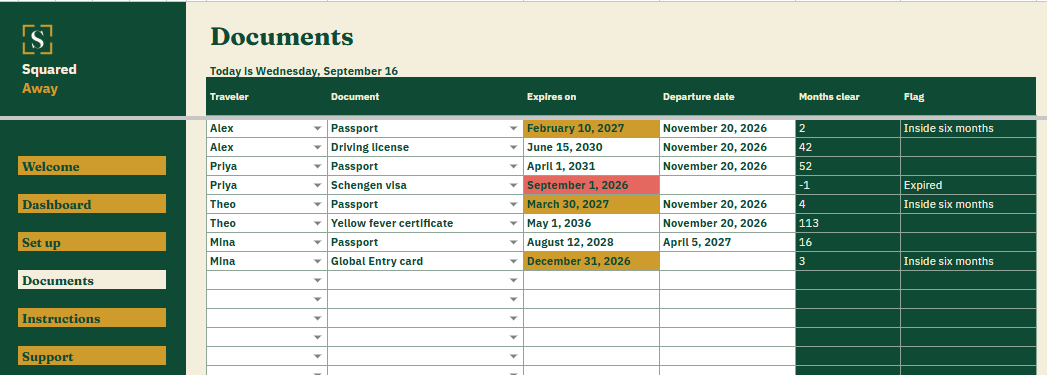
Documents. One row for each passport, visa or card, with who it belongs to, what it is, the expiry date and the departure date it is being measured against.
Months clear, worked out. How long each document has left on the day of travel, not today, which is the number an airline cares about.
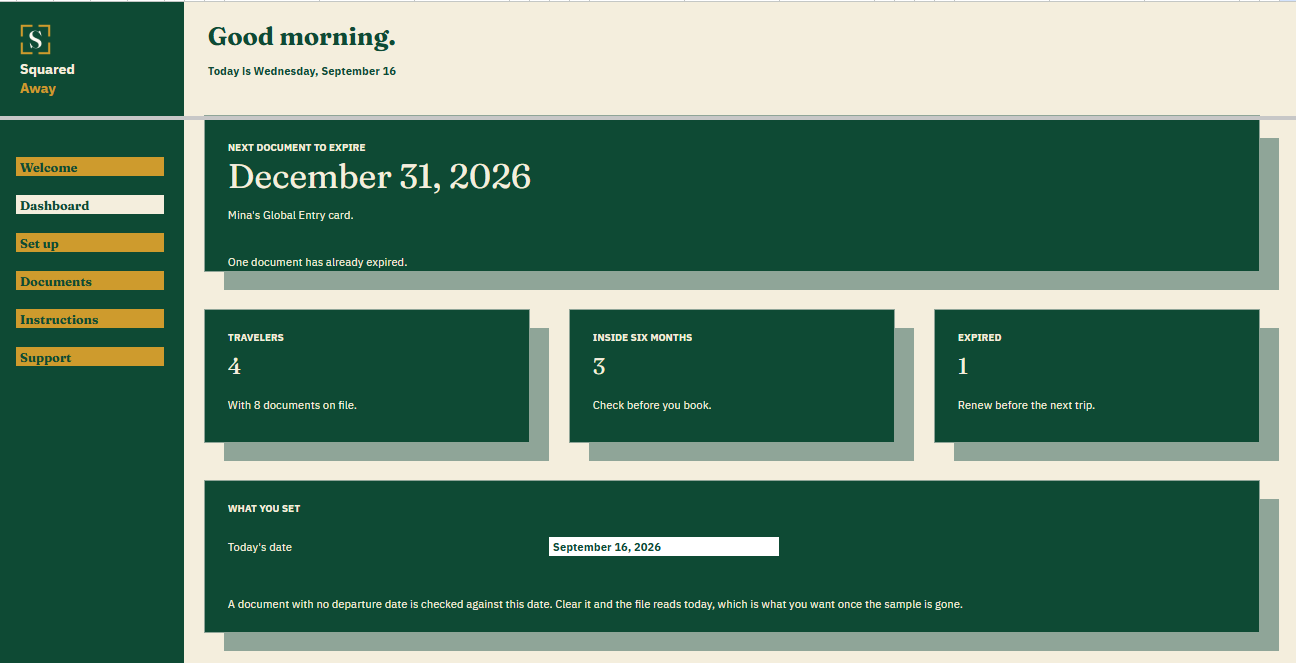
The Dashboard. The next document to expire and whose it is, how many people the file covers, how many documents sit inside six months, and how many have already gone.
Red and gold. An expired document turns red. One inside six months of the trip turns gold.
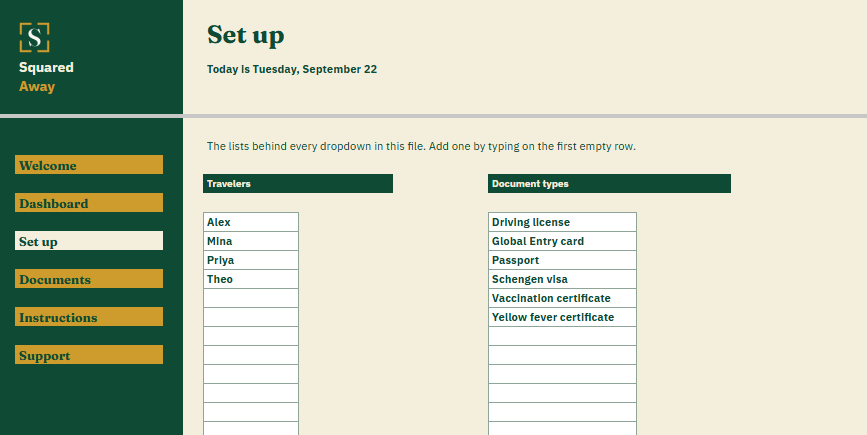
Set up. Your own people and document types, behind the dropdowns on Documents.
Sample documents. Eight made-up ones across a family of four, so the dates make sense before you type your own.
What it looks like
Three tabs you'll actually use.
After you buy
What happens after you buy.
1
We email you a link.
It goes to the address you paid with.
2
You make a copy.
It saves to your own Google Drive™ and stays private unless you share it.
3
You start using it.
It comes with sample entries already in it, so you can see how it works before you type in your own.
No surprises
The fine print, all of it.
You pay once, and the copy stays yours for good.
It opens in Google Sheets™ on a computer, or in the Sheets app on your phone.
You need a Google account. A free one works.
Changed your mind? Email us within 14 days for a refund. You don’t need a reason. The refund policy
Questions
Before you buy.
Does it hold passport numbers?
No, and it is built not to. Names, document types and expiry dates. If somebody sees the file, they learn when you need to renew a passport.
What is the six month rule?
Many countries will not let you in unless your passport is valid for six months after you arrive. The file measures each document against your departure date so you can see it coming.
What if we have no trip booked?
Leave the departure date empty and the file measures against today, so you still see what has expired.
S
Renew it in March, not the week you fly.
No app to learn. No new account. No monthly anything.
$19one time
Tax added at checkout.
If it isn’t right, email us within 14 days for a refund. The refund policy
You just get squared away.
Cookie Consent
Some cookies keep the site working. The rest just count visits, and only if you say yes. If you say no, the site works exactly the same.
Cookies
Essential cookies stay on, because the site can't work without them. Everything else is your call.
Essential cookies enable basic functions and are necessary for the proper function of the website.
Name
Description
Duration
Cookie Preferences
This cookie is used to store the user's cookie consent preferences.