Nonprofits

Nothing lapses on your watch.

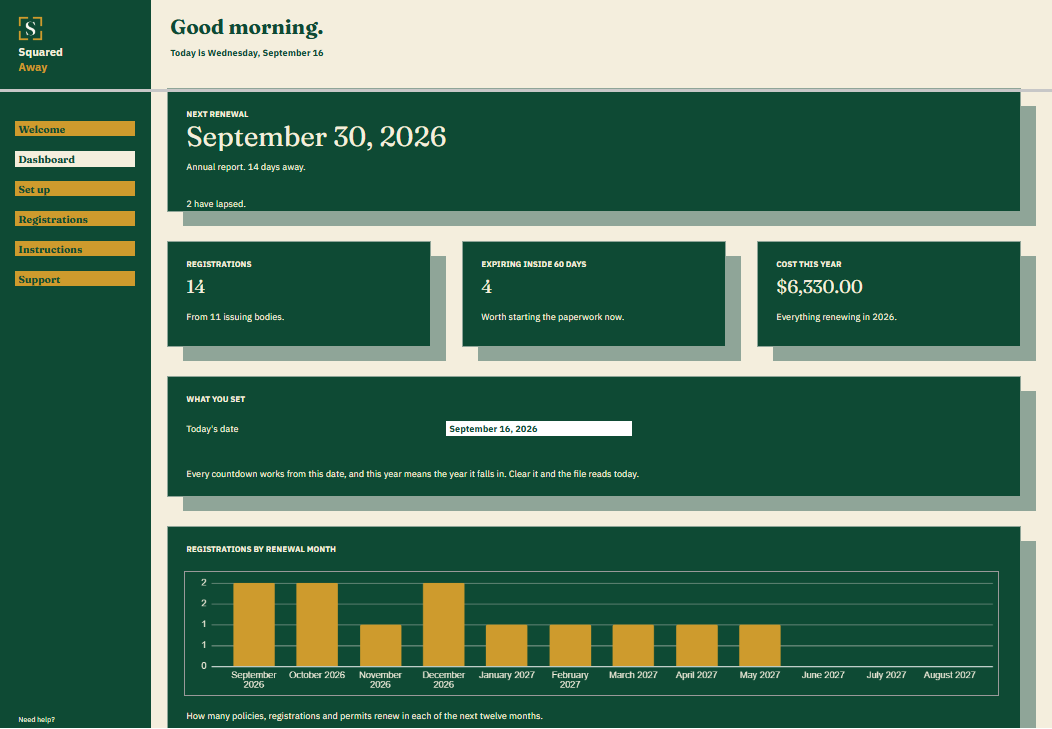
A small organization runs on renewal dates. Insurance, state registrations, permits, the annual report. Each tool here is a spreadsheet in Google Sheets™ built for one of those jobs. You make a copy, put your own details in, and it keeps track from there.

What you pay
$39, once
What you need
A Google account
Where to start

Pick the part of the work that keeps slipping.

Each one covers a different part of keeping the organization in good standing.

Ready to use

Ready when you are.

Each one does a single job and arrives with sample entries already in it, so you can see how it works before you type anything of your own.

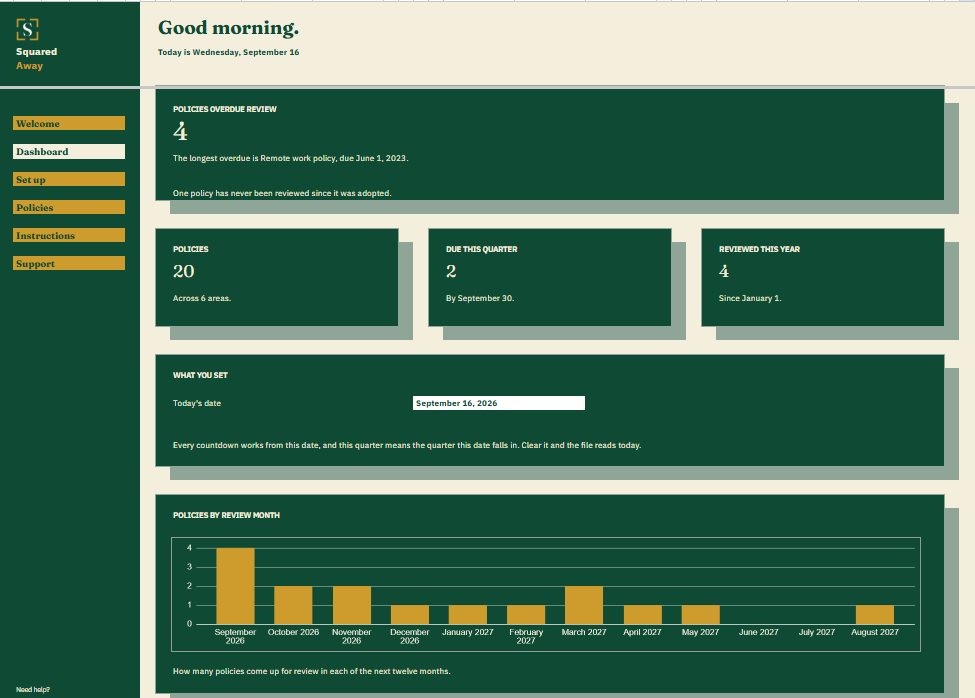
Policy Review Schedule dashboard in Google Sheets showing 4 policies overdue review, 20 policies on file, 2 due this quarter, 4 reviewed this year, and a chart of reviews by month.
Governance

Policy Review Schedule

See which of your board’s policies are overdue for review.
$39

one time

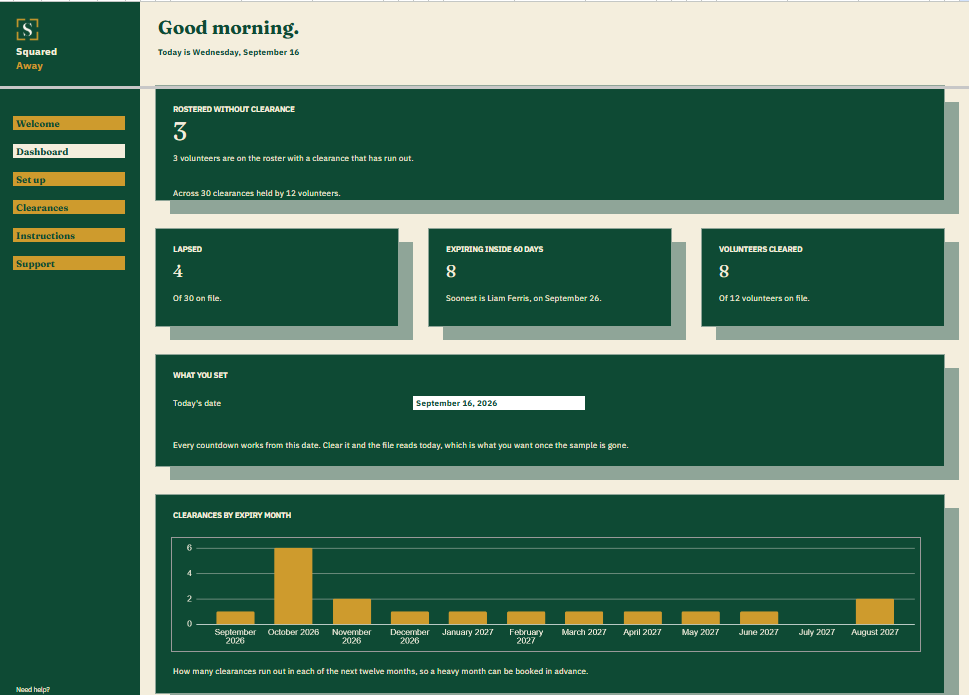
Volunteer Clearance Tracker dashboard in Google Sheets showing 3 clearances lapsed on rostered volunteers, 4 lapsed in all, 8 running out inside sixty days, 8 volunteers fully cleared, and a chart of expiries by month.
Volunteers

Volunteer Clearance Tracker

See who is on the roster without current clearance.
$39

one time

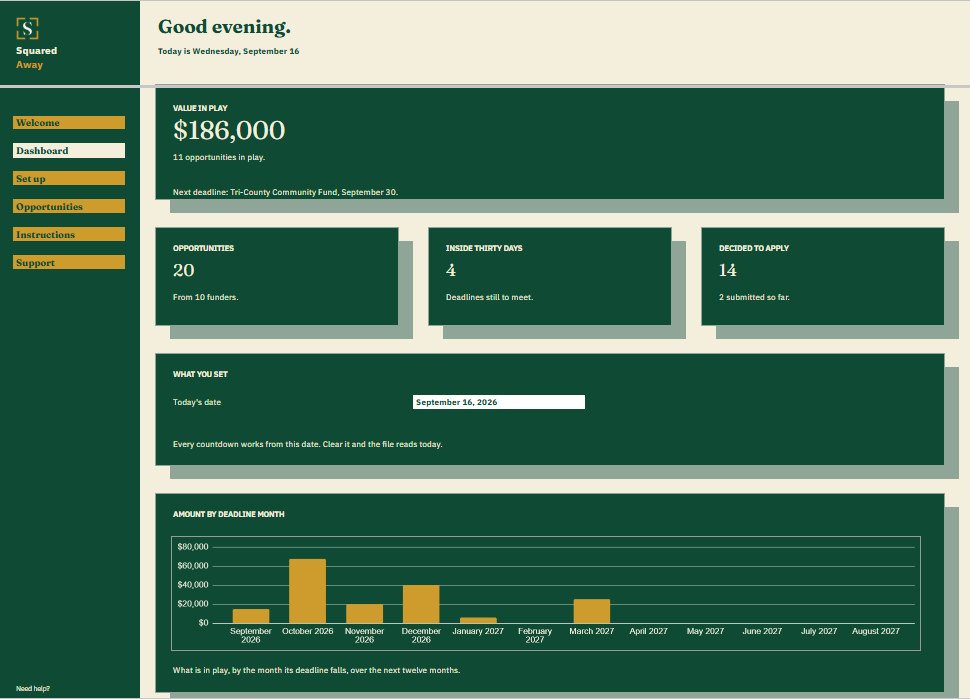
Grant Opportunity Pipeline dashboard in Google Sheets showing $186,000 in play, 20 opportunities, 4 deadlines inside thirty days, 14 decided to apply, and a chart of amount by deadline month.
Grants

Grant Opportunity Pipeline

See what is worth chasing, and what closes first.
$39

one time

Tell us what your organization tracks.

Donor records, grant deadlines, volunteer clearances, board terms and policy reviews are all part of the job. Tell us which one is yours and we’ll point you at the right file.

After you buy

What happens after you buy.

1

We email you a link.

It goes to the address you paid with.

2

You make a copy.

It saves to your own Google Drive™ and stays private unless you share it.

3

You start using it.

It comes with sample entries already in it, so you can see how it works before you type in your own.

No surprises

The fine print, all of it.

  • You pay once, and the copy stays yours for good.
  • It opens in Google Sheets™ on a computer, or in the Sheets app on your phone.
  • You need a Google account. A free one works.
  • Changed your mind? Email us within 14 days for a refund. You don’t need a reason. The refund policy
S

Start with whatever expires first.

No app to learn. No new account. No monthly anything.

You just get squared away.